
Trikdis FLEXi Keypad SK-LCD button – Guide utilisateur rapide
- 01.07.2025
- Fabricant : Trikdis


Présentation des fonctions
- Date
- Time
- Area Status Indication
- Area Control Buttons
- Menu Button
Alarm System (Away) ARMING
- Make sure no zones are violated.
- Appuyez sur [

 ].
]. - Enter your user code.
- Sélectionnez le secteur.
- Appuyez sur [
 ].
]. - Leave the area within the exit delay time.
When the system is armed, the  icon appears on the display.
Alarm System DISARMING
- Enter your user code.
- Sélectionnez le secteur.
- Appuyez sur [].
When the system is disarmed, the  icon appears on the display.
Mode NUIT / SOMMEIL
The building's perimeter is secured, free movement inside is allowed. Alarms upon door/window opening.
- Appuyez sur [
 ].
]. - Enter your user code.
- Sélectionnez le secteur.
- Appuyez sur [].
- NIGHT arming activates immediately.
The  icon appears on the display when NIGHT arming is active.
Mode STAY (À la maison)
There is an entry delay. Free movement inside is allowed.
- Appuyez sur [
 ].
]. - Enter your user code.
- Sélectionnez le secteur.
- Appuyez sur [].
- STAY arming activates immediately.
The  icon appears on the display when STAY arming is active.
To change the area status, simply enter the user code and select the desired area. To clear entered commands, press the [ ].
].
Adding a new code / Modifying an existing one:
- Appuyez sur [
 ], then the [0].
 - Saisissez le code maître (par défaut : 1234).
- Enter the two-digit serial number of the user (e.g., 02).
- Saisissez le nouveau code deux fois.
- Select the areas assigned to the user.
- Appuyez sur [].
To exit, press the [] button again.
Remarque
- Master code serial number: [01]
- Codes consist of 4 digits.
Deleting a user code:
- Appuyez sur [], then the [0].
- Saisissez le code maître.
- Enter the two-digit serial number of the user (e.g., 02).
- Appuyez sur []. (A confirmation sound will be heard.)
- Appuyez sur [].
To exit, press the [] button again.
Activer l'inhibition :
- Appuyez sur [], then the [6].
- Enter your user code.
- Saisissez le(s) numéro(s) à deux chiffres de la(des) zone(s). Vous pouvez en saisir plusieurs, p. ex. 05 puis 11.
- Appuyez sur []. ( l'icône apparaît à l'écran si une zone est inhibée.)
Désactiver l'inhibition :
Répétez les étapes d'activation.
Envoyer une alerte d'urgence :
- Police – maintenez le bouton [1] pendant 3 secondes
- Urgences médicales Aid – maintenez le bouton [4] pendant 3 secondes
- Pompiers – maintenez le bouton [7] pendant 3 secondes
Remarque : Fonctionne uniquement avec un abonnement de télésurveillance actif.
Réinitialiser les détecteurs d'incendie (fumée) :
- Appuyez sur [] button for 3 seconds.
Remarque : Les détecteurs d'incendie et/ou de fumée ne se réinitialisent pas automatiquement après une alarme. Ils doivent être réinitialisés manuellement.
Button Brightness
- Appuyez sur [], then buttons [5] and [3].
- Adjust the brightness with buttons [2] / [8].
- To save [], to exit [].
LCD Display Brightness
- Appuyez sur [], then buttons [5] and [2].
- Adjust the brightness with buttons [2] / [8].
- To save [], to exit [].
Keypad Volume
- Appuyez sur [], then buttons [5] and [1].
- Adjust the volume with buttons [2] / [8].
- To save [], to exit [].
Disabling Standby Light
This setting controls whether the keypad backlight illuminates even when the device enters standby mode (i.e., has not been pressed for a while).
- Appuyez sur [], then buttons [5] and [4].
- By pressing button [1], you can set the backlight to illuminate in standby mode, while with button [2], you can set it to turn off.
- To save [], to exit [].


Le clavier « SK-LED button » gère 64 zones et 8 secteurs. Les secteurs peuvent être assignées à des claviers individuels. Disponible à partir de la version FW:SP3_xxx4_0121 de la centrale.
Tags :
Articles connexes
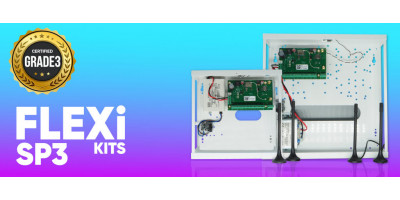
Présentation du FLEXi SP3 – La meilleure centrale d'alarme intel
- 10.08.2020
Le Trikdis FLEXi SP3 : centrale d'alarme intelligente avec communicateur intégré – polyvalente, rapide et rentable.
Lire la suite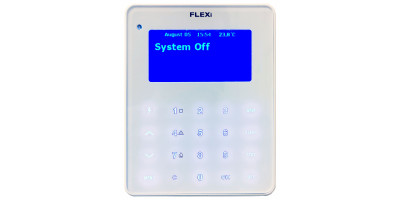
Processus de mise à jour du firmware du clavier FLEXi LCD
- 06.03.2023
Guide pour mettre à jour le firmware du clavier Trikdis FLEXi LCD.
Lire la suite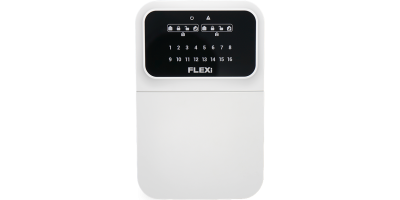
Trikdis FLEXi Keypad SK-LED button – Guide utilisateur rapide
- 10.07.2025
Guide rapide pour le clavier Trikdis FLEXi SK-LED button : armement, désarmement, gestion des codes, inhibition de zones et fonctions d'urgence.
Lire la suiteProduits connexes
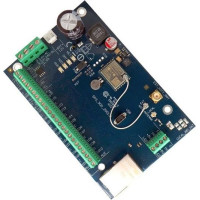
Panneau d'alarme intelligent Ethernet Trikdis FLEXi SP3
Le panneau de contrôle d'alarme intelligent Trikdis FLEXi SP3 Ethernet est flexible et polyvalent, a..
€139,90 Hors taxes : €113,74
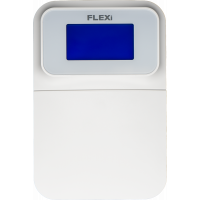
Clavier Trikdis SK-LCD Button
Le clavier FLEXi SK-LCD est une interface fiable et conviviale avec un écran LCD et des boutons phys..
€67,90 Hors taxes : €55,20